

Balance
After successfully completing an order, the funds will automatically appear in your balance in the panel within 3 days of the order completion. The amount available for withdrawal is always visible in the main view, in the top right corner of the screen, and it will also be displayed in your Wallet (Finances -> Wallet). The value shown in parentheses ( ) indicates the amount you can withdraw directly from the panel.

How to withdraw funds?
If you want to withdraw funds from your balance, you need to request a payout. Withdrawals are not processed automatically — each time you want to receive your funds, you must submit a withdrawal request through the platform.
You don’t have to withdraw money after every completed order. Instead, you can choose to withdraw, for example, once a week or once a month. It’s entirely up to you and your preferences.
Withdrawals can be made via PayPal, Wise, or traditional bank transfer. The availability of specific payout methods depends on your region.
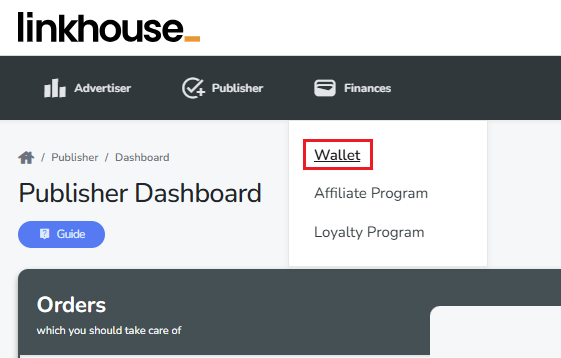
To withdraw funds, go to the Finance tab and then select Wallet.
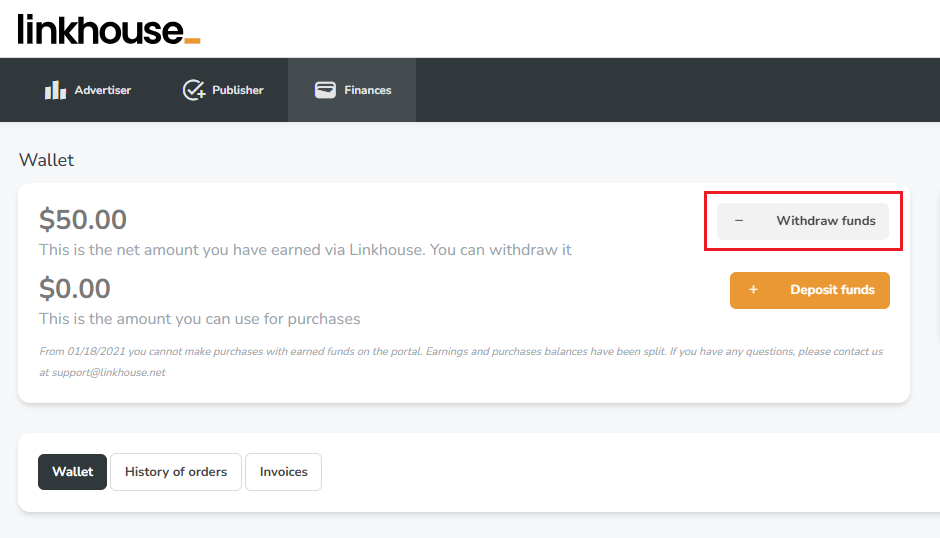
In the Wallet view, you can check your current balance and monitor the status of both withdrawals and deposits. To start the withdrawal process, simply click Withdraw funds.
You will be redirected to a view where you can manage your withdrawals directly.
In this section, you can add a bank account or a PayPal account to which you want the funds to be transferred. You will also see our company details, which should be included on the invoice for the withdrawal. In this view, you will be able to track the status of your withdrawal after it has been submitted.
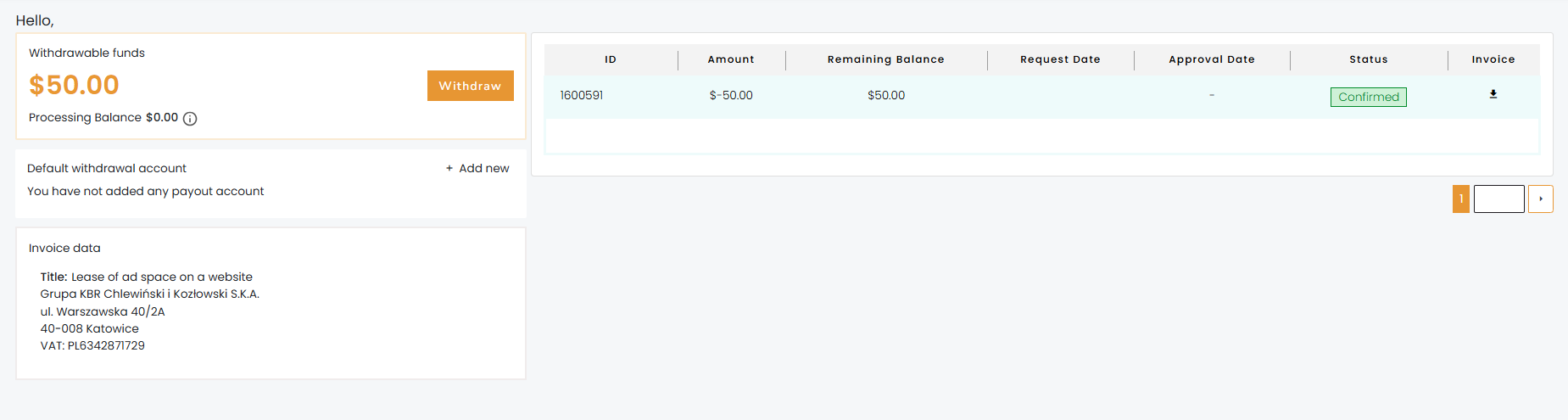
On the left side, you will see the amount available for withdrawal to your account. Click Withdraw and then enter the amount you wish to withdraw from the panel.
*Please note that the minimum withdrawal amount is 50 (depending on the currency of the account).
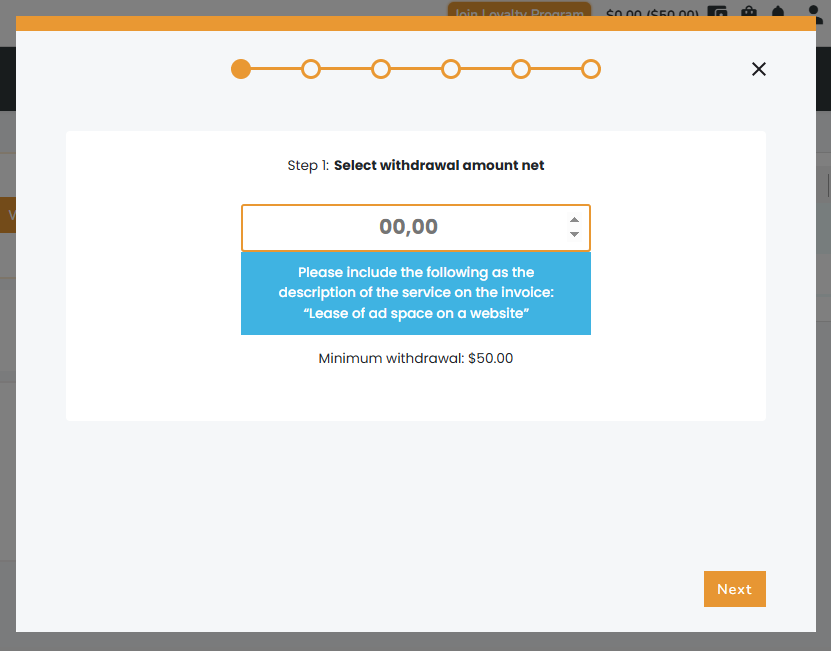
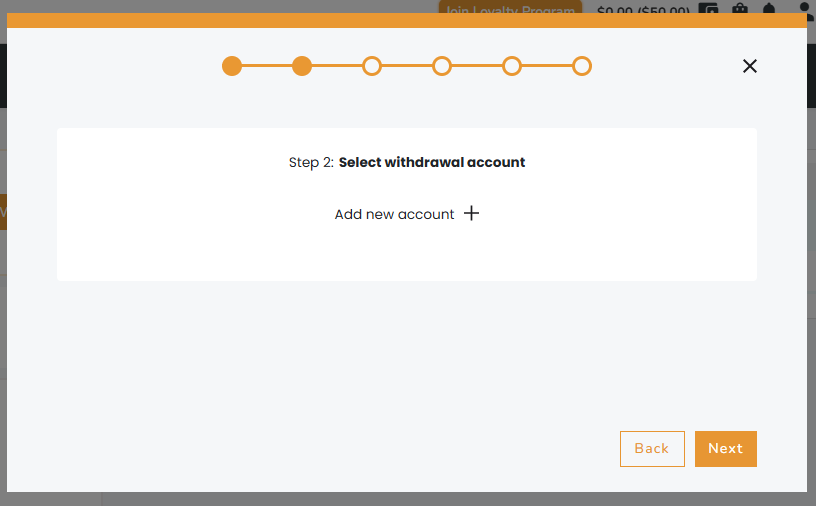
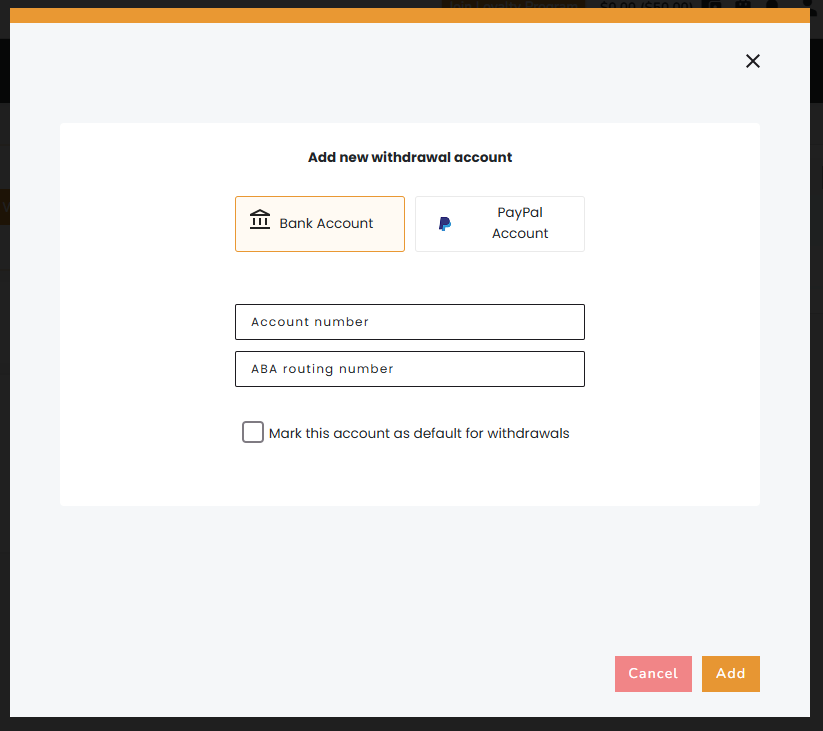
Next, select the account to which you want the funds to be transferred. If you haven’t added your account details yet, you should add your bank account number or PayPal account at this stage. You can add or remove a payout account at any time, depending on your preferences.
Company account
In the next step, if you have a company account, upload a file with the completed invoice. Please remember that the invoice must include our company details provided below (you can also find them in the panel when processing the withdrawal).
Title: Lease of ad space on a website
Grupa KBR Chlewiński i Kozłowski S.K.A.
ul. Warszawska 40/2A
40-008 Katowice
TAX ID: PL6342871729
The invoice must also contain your complete company details, including:
- full company name
- address
- Tax ID
Make sure to include the withdrawal title, which you will find displayed above our company details, and ensure that the amount on your invoice matches the amount requested for withdrawal.
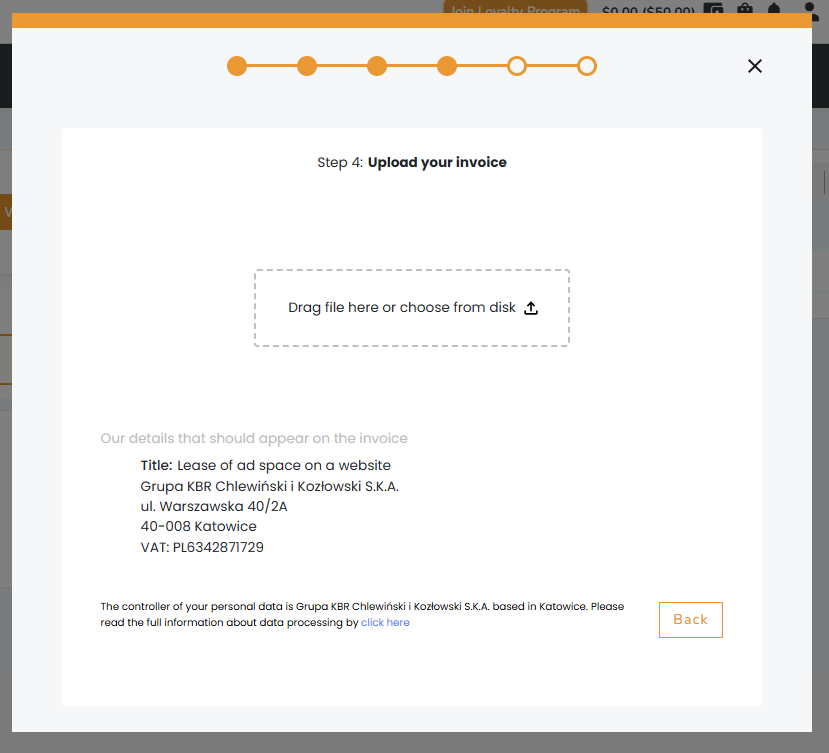
After adding the invoice, your withdrawal request is submitted and pending verification.
Private account
If you have a private account, the next step is to enter the details that will appear on the invoice. Please provide your full name, address (street, postal code, city), and your ID number, passport number, or TIN. These details are required to process the withdrawal – without completing this step, the payout cannot be made.
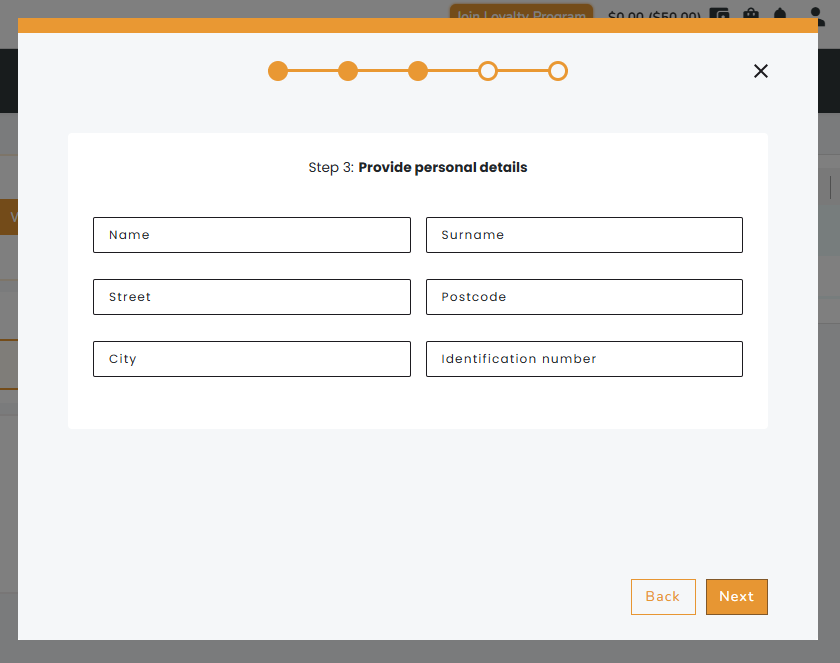
After entering your details, the invoice will be generated automatically. At this step, you can either download it (it will then be automatically attached to your withdrawal request) or upload an invoice prepared by yourself.
Withdrawal Verification
After completing all the steps, your withdrawal request is submitted to our system and is pending verification. The withdrawal will be processed within 7 business days (excluding weekends) from the date of delivery of a correctly issued invoice or bill.
Withdrawal Rejected
In case your withdrawal request is rejected (e.g., due to mistakes in the invoice), you will receive information about the rejection. In the Wallet view, you will also find the reason for rejection in the withdrawal description. The money will automatically return to your balance on the Linkhouse platform.

You can correct the invoice by editing the missing information and then submit the withdrawal request again. Please note that once a withdrawal is rejected, the payment will only be processed after the request is resubmitted.
FAQ
What payout methods are available?
Withdrawals can be made via PayPal, Wise, or traditional bank transfer. The availability of specific payout methods depends on your region.
When can I expect my withdrawal to be completed?
Withdrawal requests are verified within 7 business days (excluding weekends) from the moment they are submitted, together with an attached invoice. We do our best to review and process each payout as quickly as possible. Please note that a successful payout depends on the correctness of the submitted request and the inclusion of a valid invoice.
Why was my withdrawal rejected?
The reason for the rejection can be found in the email notification you received, as well as in the panel under Finance -> Wallet in the withdrawal description. The rejection note should also include guidelines on what needs to be corrected in order for the withdrawal to be accepted. Before submitting a new withdrawal request, please make sure you have made all the required corrections. If the reason provided is unclear or you still have doubts, feel free to contact us at [email protected]. Our accounting team will carefully review your case.