



This guide has been prepared to help publishers understand step by step how to correctly execute an order received through the Linkhouse platform. Here you’ll find clear instructions on the entire process — from receiving an order, through reviewing and approving the content, to publishing and confirming the completed task in the panel.
When an advertiser places an order for your website, you will be notified by email. At the same time, the order will automatically appear in your panel — in the Publisher Dashboard, under the Orders section.
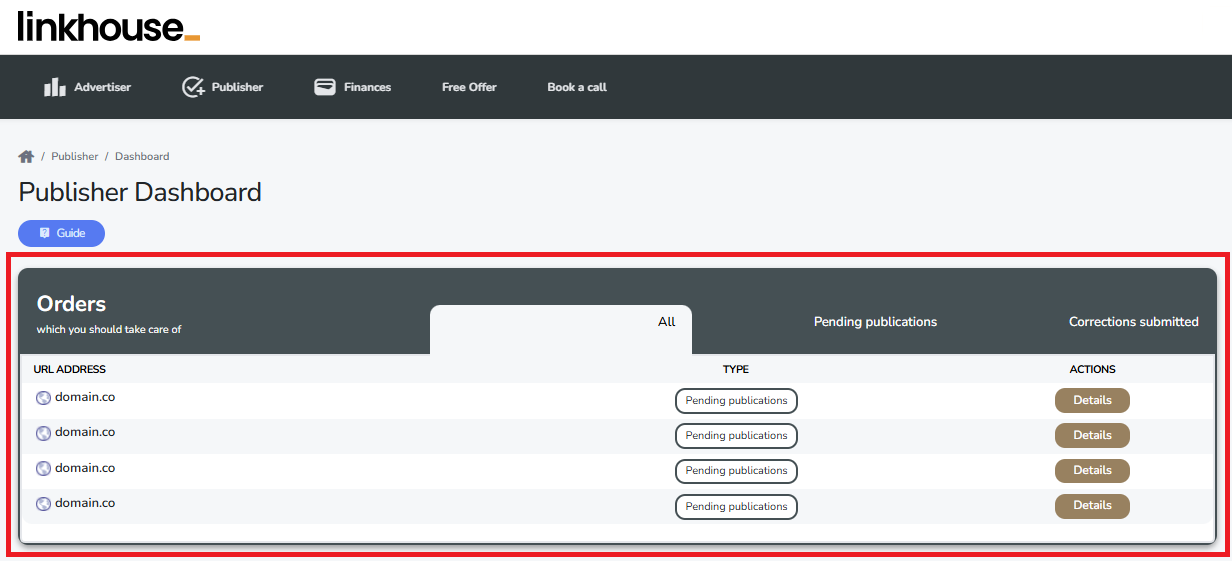
To see all of your orders, along with their details and the history of previous orders, go to the Orders tab (Publisher → Orders).
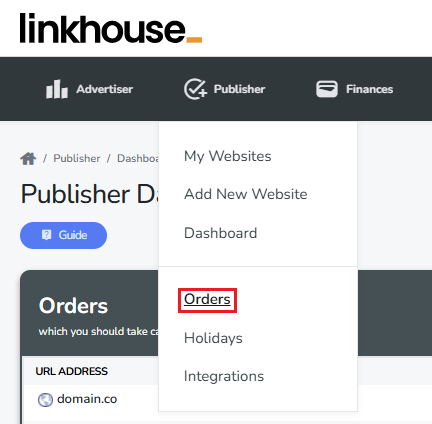
In this view, you can check the status of your order, download the guidelines, and access the full order details.
Sponsored articles
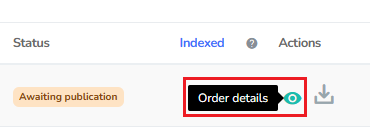
By entering the Order details, you can review the guidelines for the task. In this section, you can either download the article with the attached image or download the guidelines if you are the one responsible for writing the article.
To download the order guidelines, scroll down to the bottom of the order and find the sections IMAGE TO DOWNLOAD and ARTICLE TO DOWNLOAD. Download the image for the article as well as the article itself for publication. You also have the option to Copy to clipboard as HTML format, which makes adding it to your website much easier.

As a publisher, you have full control over the content published on your website. If you have any comments on the text, you can submit them and ask for a correction, providing clear feedback on what should be improved. This allows the advertiser to adjust the content to your requirements.
If the text does not meet your expectations at all, you also have the option to reject the publication entirely.

Publish the order on your website and add the publication link in the panel, then click Submit a link for acceptance. Make sure the link is correct, as proper linking has a strong impact on indexation.

If your offer included internal linking, make sure to also add the links to the places where the article was linked. Without providing the required number of links, you won’t be able to complete the order.
You can read more about internal linking in our instruction here.
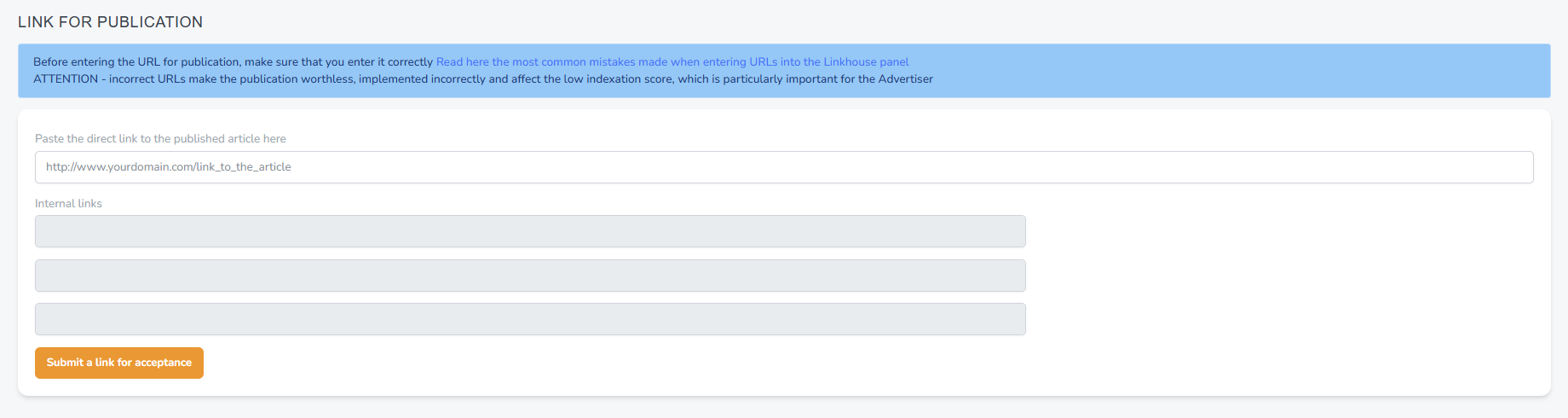
Remember, the order will only be considered published once the publication link has been added to the order in the panel.
If everything has been done correctly, your order will receive the status Published and will be awaiting verification by the advertiser. If the advertiser does not request any corrections within 3 business days, the order will automatically change its status to Complete, and the payment for this order will be transferred to your balance in the panel.
Link insertions
To start executing a link insertion order, go to the order details. There you will find all the necessary guidelines and instructions on where and how the link should be placed within the existing article.

Check in which article and under which keywords the client’s link should be placed.
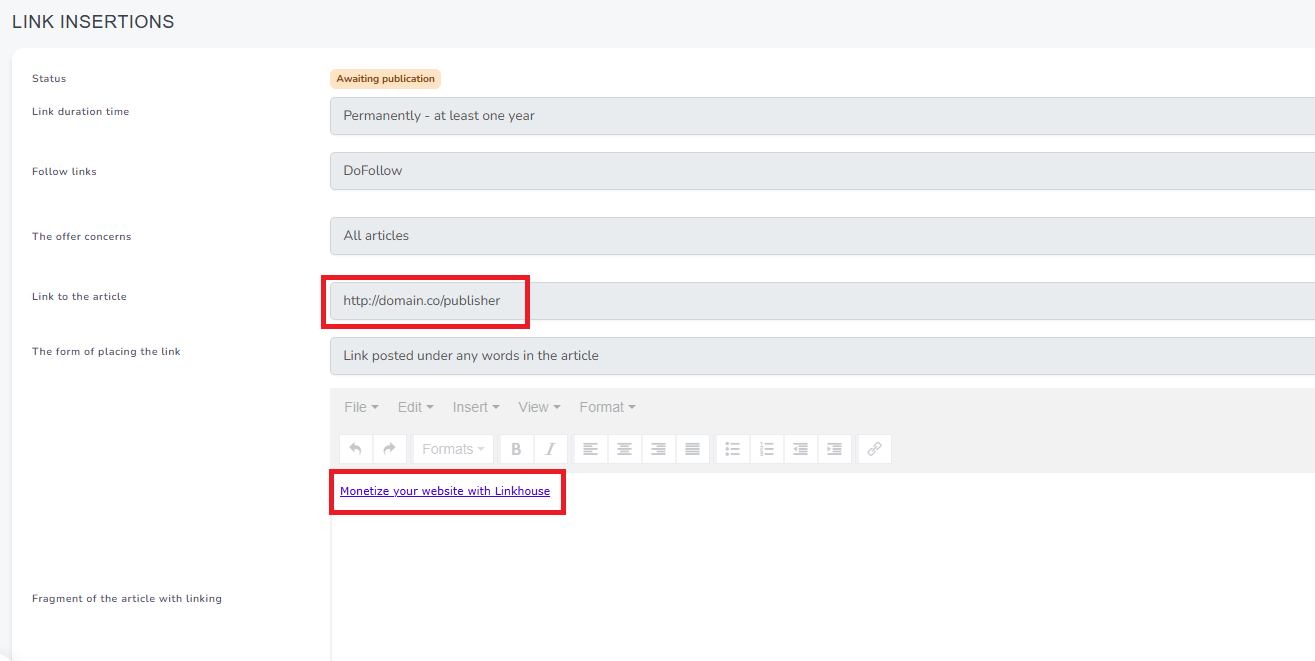
Note: The exact link that you should insert under the selected text can be found in the text editor within the order.
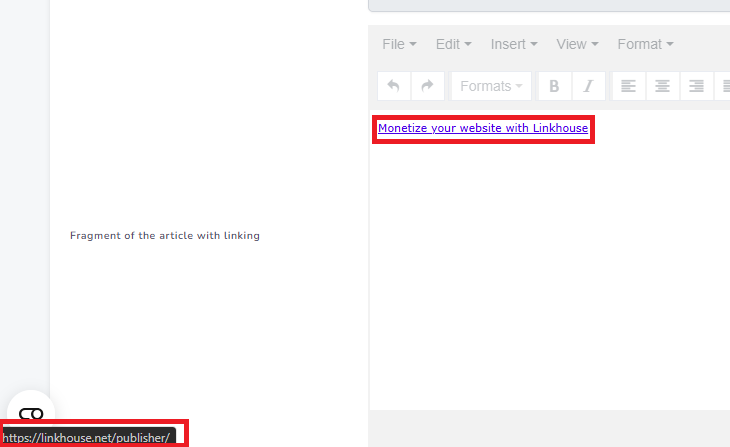
After placing the link on your website in the indicated location, click Confirm.

If everything has been done correctly, your order will receive the status Published and will be awaiting verification by the advertiser. If the advertiser does not request any corrections within 3 business days, the order will automatically change its status to Complete, and the payment for this order will be transferred to your balance in the panel.
Advertising links
To start working on an order for advertising links, the first step is to go to the order details. There you will find all the necessary information about the order.
By entering the order details, you can see all the necessary information for execution — the exact placement where the link should appear, the anchor text, the type of link, and the target URL that needs to be included in the advertisement.
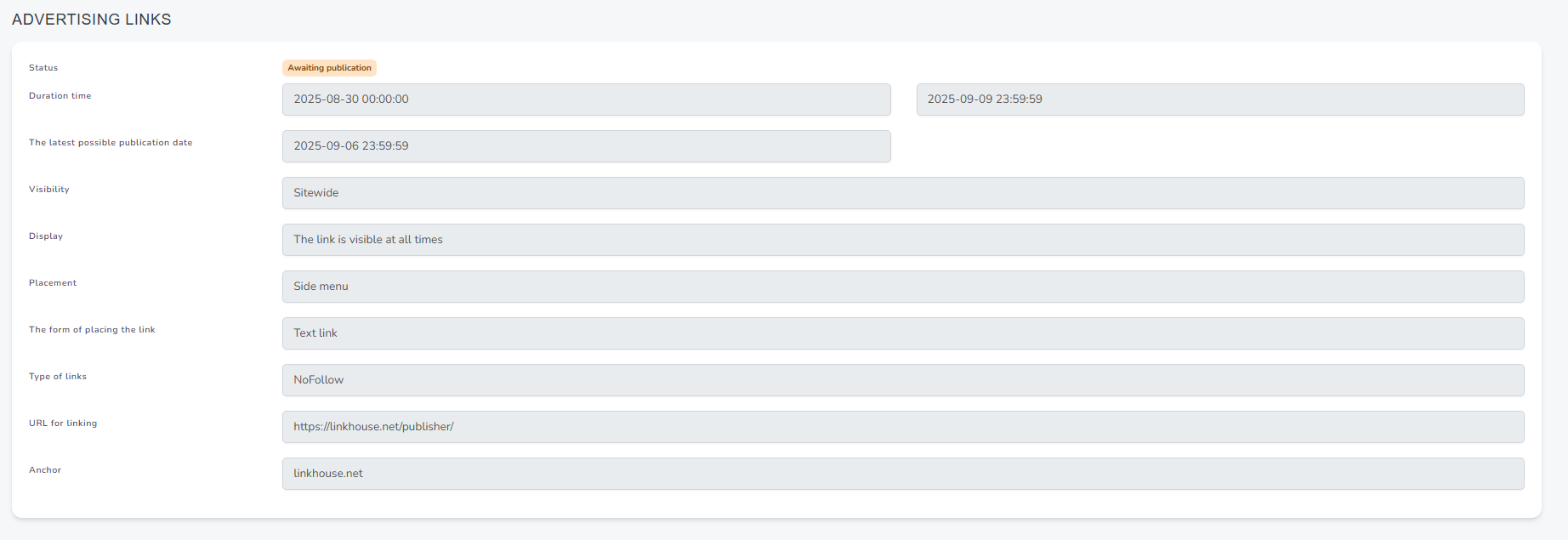
If any elements of the article or the provided guidelines do not align with your requirements, you can Ask for a correction and give clear feedback on what should be adjusted. This way, the advertiser can make the necessary changes. If the content does not meet your expectations at all, you also have the option to Reject the publication entirely.
After adding the mention in the correct place, you need to confirm the link placement by clicking Confirm.
If everything has been done correctly, your order will receive the status Published and will be awaiting verification by the advertiser. If the advertiser does not request any corrections within 3 business days, the order will automatically change its status to Complete, and the payment for this order will be transferred to your balance in the panel.
